How To Join The Server
JAVA Edition
- Open Minecraft Java Edition for Windows/MacOS/Linux.
Note: We generally try to keep the server running on the latest version of Minecraft. If you have trouble connecting, check our live stream for current supported version.
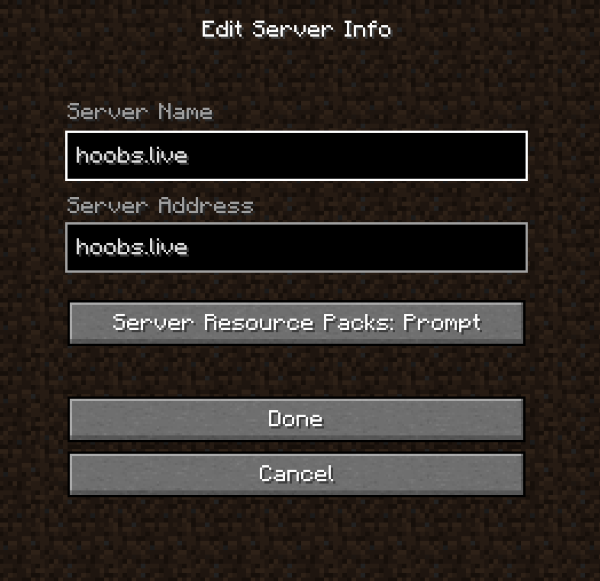
- Go to MULTIPLAYER then ADD SERVER.
- Enter hoobs.live in the server name and address box and click DONE!
Bedrock Edition
- Open Minecraft Bedrock Edition on your device (Windows 10, mobile, console, etc.).
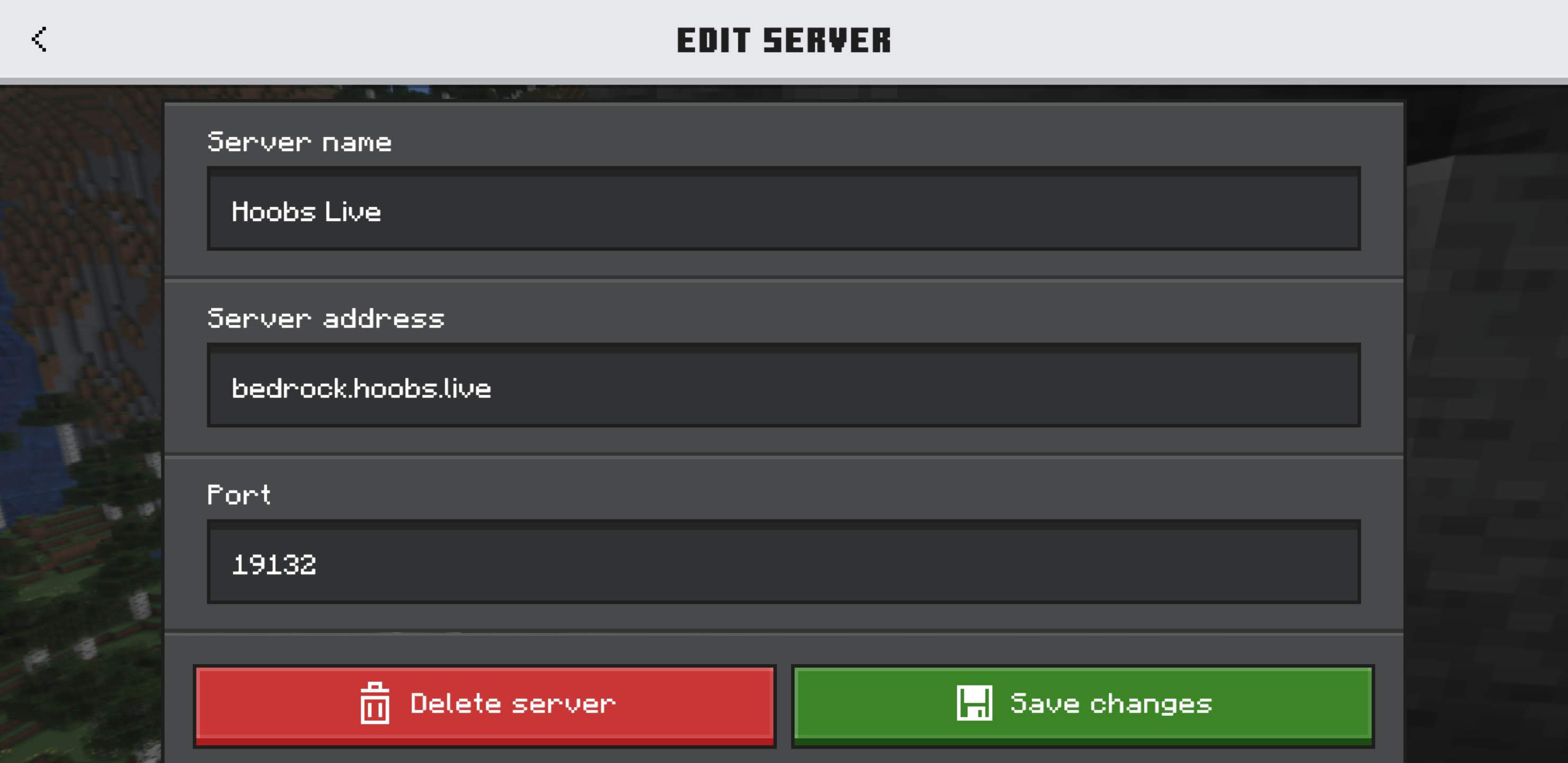
- Go to Servers then Add Server.
- Enter bedrock.hoobs.live as the server address.
- Enter 19132 as the port.
- Click Save and join!\
Console Players
You will need to use a DNS trick to join the server from consoles.